
Receipt. Photo. Sorted.
Take a picture of your receipt. AI drafts an expense. Check the amount and category, then confirm it. You always have the final say.
YOUR MONEY. YOUR PEACE OF MIND.
For coffee. For plans. For life. See what you can spend today — and leave the counting to Saldo.
Start with Free · iPhone + web
See how it works
LESS GUESSWORK. MORE LIVING.
01 /Play with your budget
Set your daily limit. Add a little treat. Instantly see what’s left for the rest of your day. That’s everyday expense tracking with Saldo.
Explore the interactive case studyEach day is a fresh start. Unspent allowance doesn’t roll over to tomorrow.
02 /SMALL HABITS. A BIG DIFFERENCE.
Take a picture of your receipt. AI drafts an expense. Check the amount and category, then confirm it. You always have the final say.
Home, a trip, or your own finances. Keep them in separate workspaces and invite the people you want to plan with.
A holiday? An emergency fund? Set a savings goal and see yourself getting closer to what matters to you.

03 /EVERYTHING IN ITS PLACE
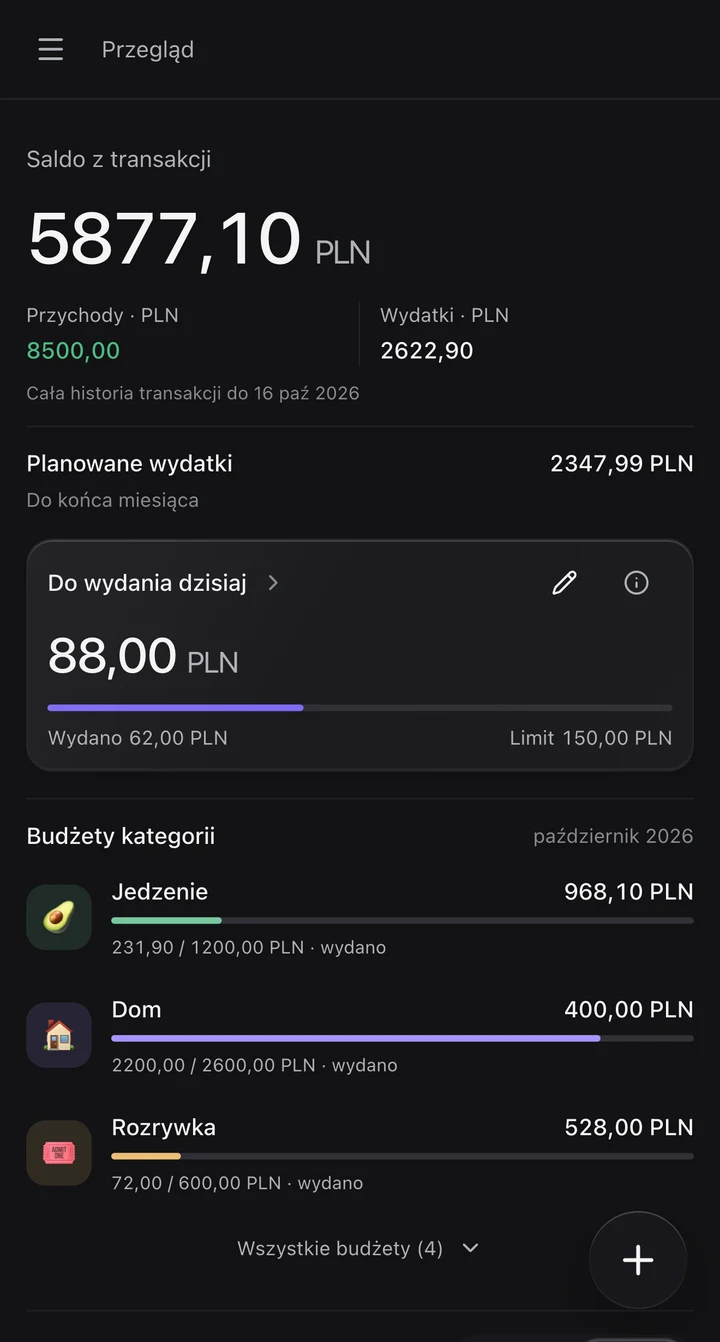
More than your account balance. See income, expenses and category budgets together. Switch views and take a closer look at Saldo.
Real app screens · demo data · Polish interface04 /ALWAYS WITH YOU
Your daily budget on your iPhone Lock Screen with Live Activity. No searching, no opening the app. At your computer? Open Saldo in your browser and use the same account.
Open the web app
SaldoOur homeSaldo is a personal finance and household budget app for iPhone and the web. It helps you track income and expenses, set a daily spending limit, plan category budgets and savings goals, and manage shared finances in workspaces.
You choose a daily allowance. Saldo subtracts the expenses included in your daily budget and shows what’s left. You can exclude individual transactions, such as rent. Unspent allowance doesn’t roll over to the next day.
Saldo offers a Free plan and a paid Pro plan. You can start with Free. Current limits, prices and available features are shown in the app’s plan settings. AI features and imports are subject to plan limits.
Yes. Workspaces let you separate budgets and invite other people to shared finances. Each workspace has its own data, members and permissions. A Pro plan applies to one specific workspace.
Upload a receipt photo and AI prepares an expense draft. You can review and correct the details before saving. Saving requires your confirmation. This feature requires consent to AI processing and is subject to plan limits.
Download Saldo for iPhone from the Apple App Store. It’s also available in a web browser at saldo.kamilbartczak.dev. Use the same account on your phone and computer.
06 / A GOOD TIME FOR A FIRST STEP
Your next small habit starts here.
Download on theApp StoreStart with Free · iPhone + web